QR code
One QR code per table, and every order knows where it comes from.
Each table on your floor gets its QR code. The customer scans it with their phone camera: your menu opens, and if they order, the order arrives with the right table number.
- Nothing to install
- Print-ready A4 sheet
- Same QR code for life
Table 12
app.menly.io/your-restaurant?qr=…
Table 12 recognized
The menu opens, ready to order for this table
How it works
What happens when a customer scans.
- 01
The QR code contains an address
The address of your restaurant's menu, with the table's identifier.
- 02
Menly recognizes the table
The Menly server finds the table: the customer has nothing to type.
- 03
The menu opens
In the phone's browser, in the restaurant's default language.
- 04
The order is linked
If ordering is open, everything the customer sends arrives for that table.
Creation
QR codes are created with your tables.
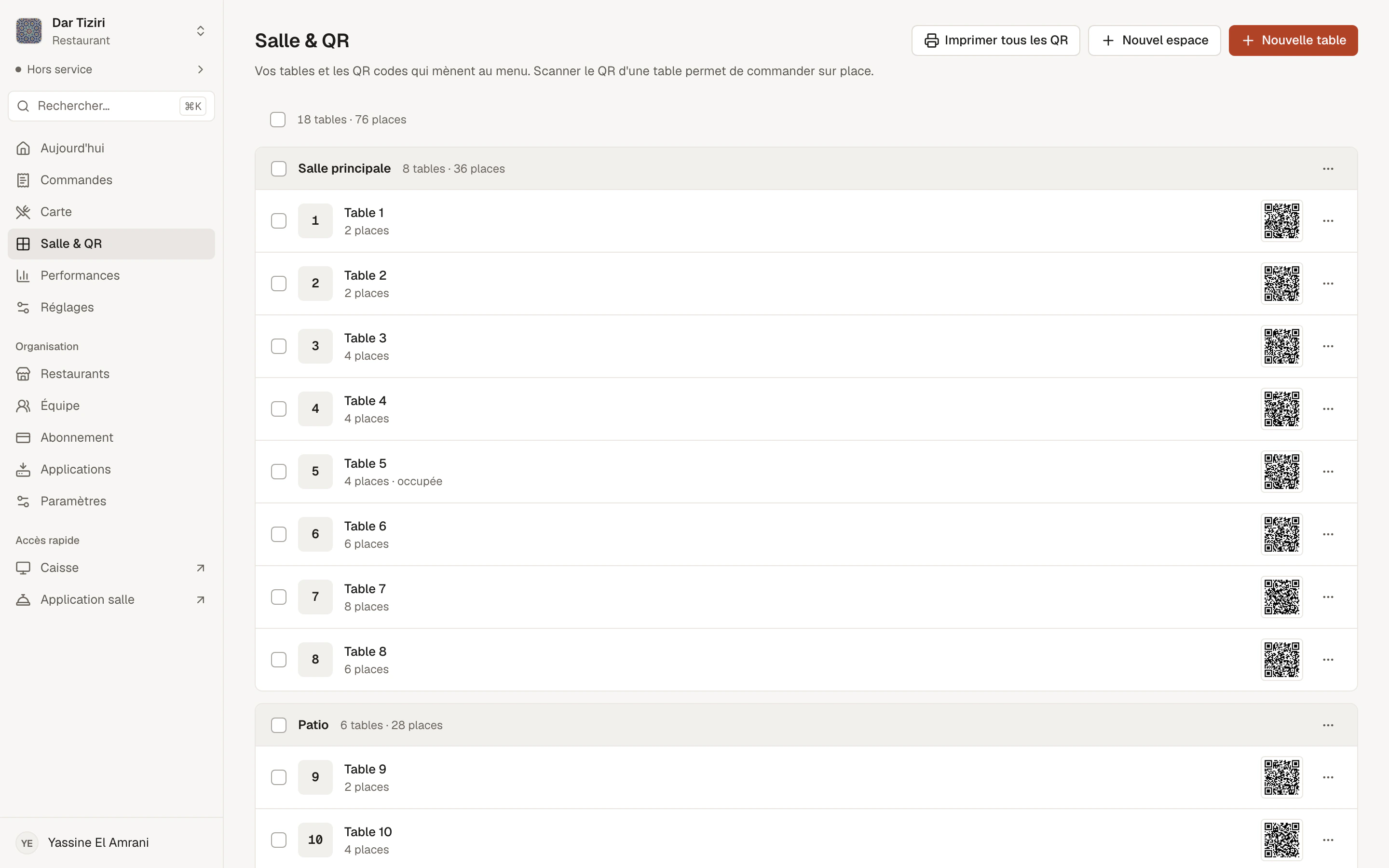
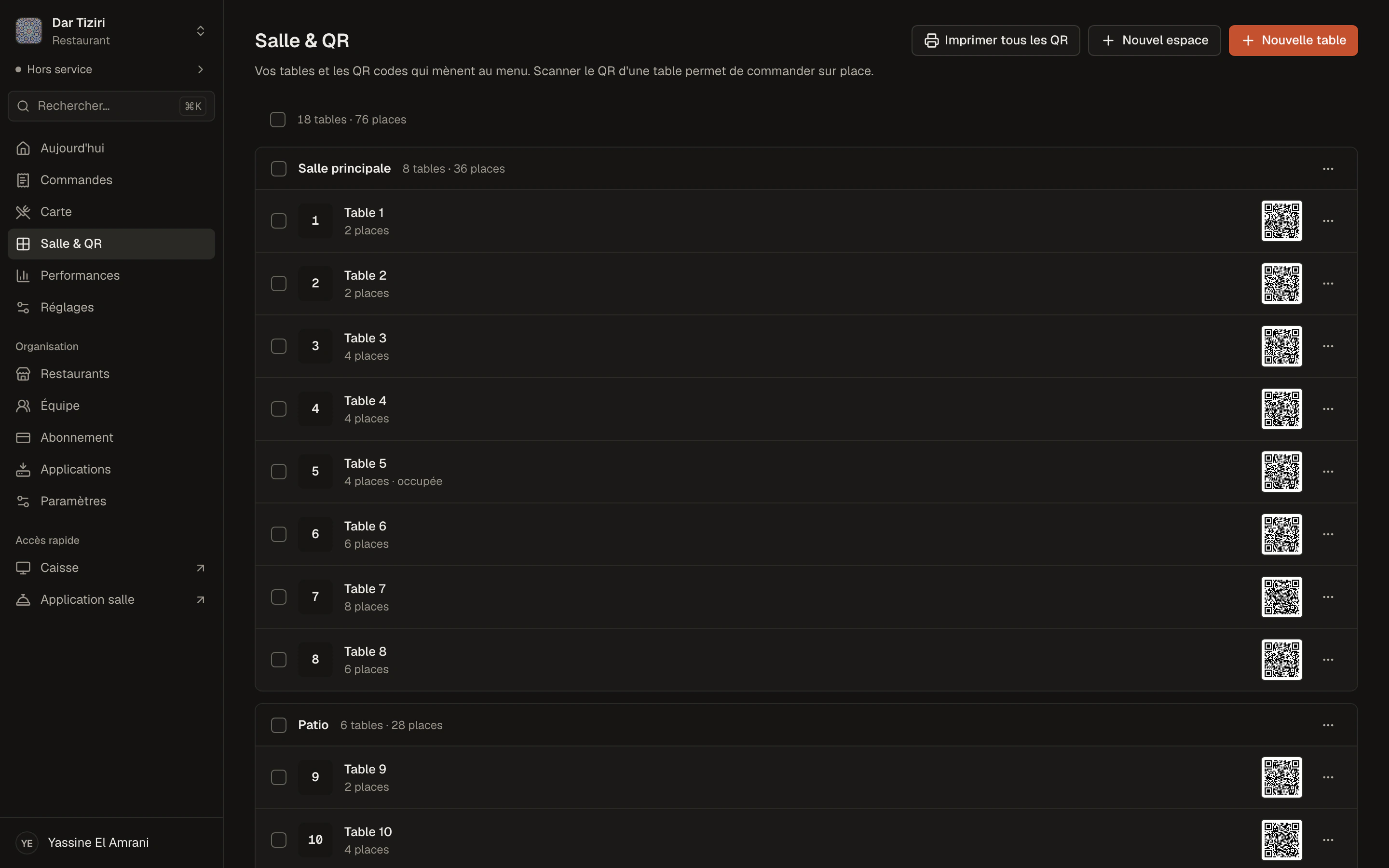
In Tables & QR, create your spaces and then your tables — one by one or in bulk. Each table gets its QR code. You can download one, print a selection, or the whole floor at once.
- High-resolution PNG download
- A4 sheet with each table's name, three QR codes per row
- Menu link to copy or open
- QR code can be deactivated at any time
Every use
A QR code for every spot.
On the table
The customer browses and, if you turn it on, orders for their table.
At the counter
A “takeaway” QR code to order and pick up at the counter.
In the window
Show your menu to passers-by, even when the dining room is closed.
Online
Your menu link can also be shared on social media or by message.
At the table
More than a menu: the table can call.
From the menu opened with a table's QR code, the customer can ask for a server, water, cutlery or the bill. The request arrives live in the Menly Floor app.
- Several phones, one shared cart per table
- Bill requests visible to the team
- No account to create for the customer
Ordering from the QR code is included from the Standard plan.
- Call a server
- Water
- Cutlery
- The bill
Arrives in Menly Floor
QR code questions
Do I need to reprint the QR codes when I change the menu?
No. A table's QR code stays the same: it leads to your restaurant, and the menu shown is always the active one.
Can a customer order for another table?
No. Menly finds the table from the scanned QR code; the customer does not choose their table number.
Can I use the QR codes only for browsing the menu?
Yes. If ordering is not turned on, the QR code simply opens your menu for browsing.
What format are the QR codes in?
PNG, to download one by one, or on an A4 sheet to print with each table's name.
What if a QR code is damaged or stolen?
Deactivate it from Tables & QR, and print the table's code again.
Your tables deserve their QR code.
Set up your floor in Menly and print your first sheet.