Skip to content

Overview

One platform, four apps, the same data.

Menly is not just a QR menu generator. It is the software that connects your menu, your customers, your floor, your till and your team — each on the screen that suits them.

  • In the browser
  • On phone, tablet and computer
  • FR · EN · العربية

Management dashboard

Owner, managers

Customer menu

Your customers

Menly Register

Cashiers

Menly Floor

Servers

Your Menly data

The four apps

Each on their own screen, one source of truth.

What the owner changes, the customer sees; what the customer orders, the floor and the till receive.

01

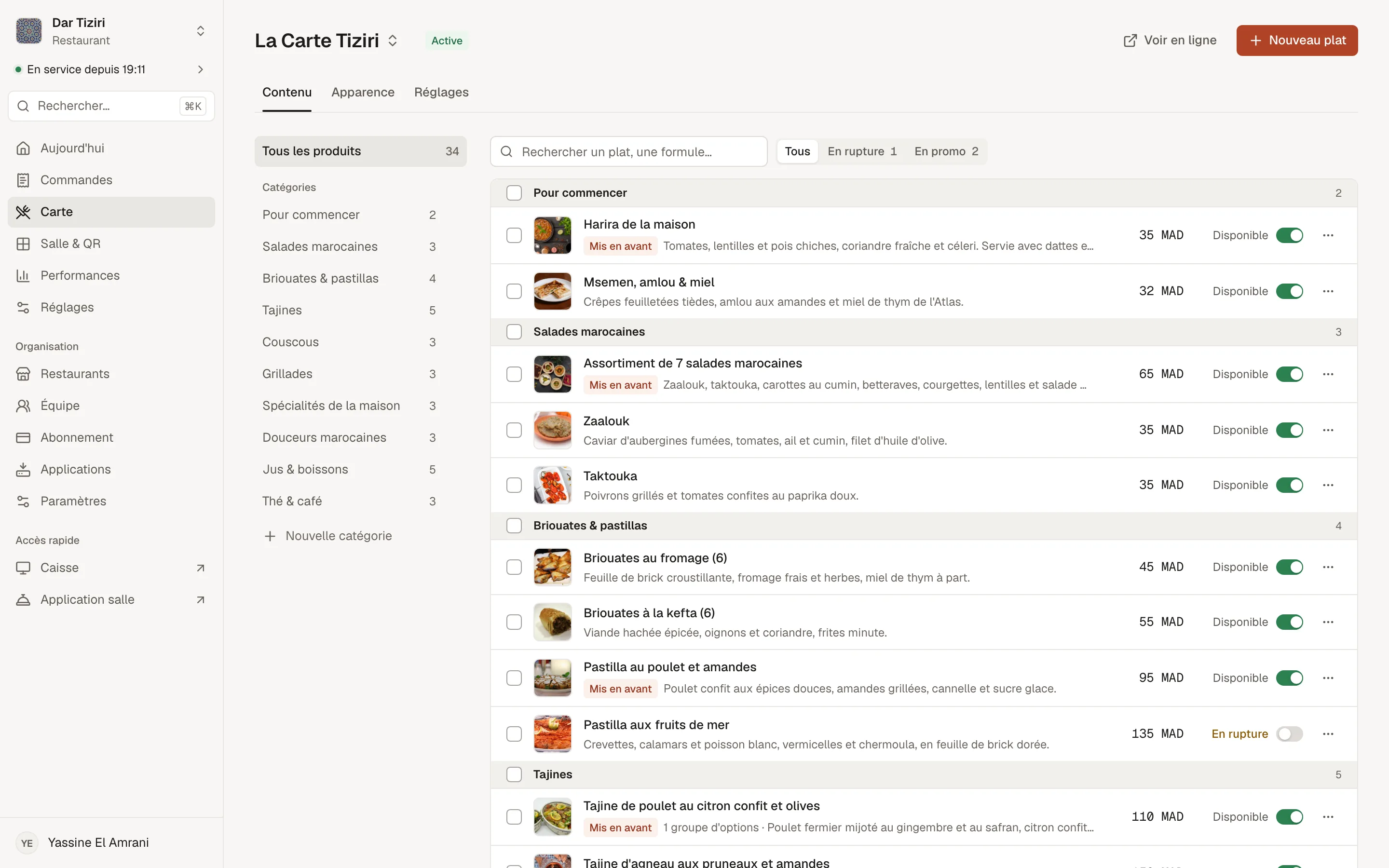
The management dashboard

For the owner and managers

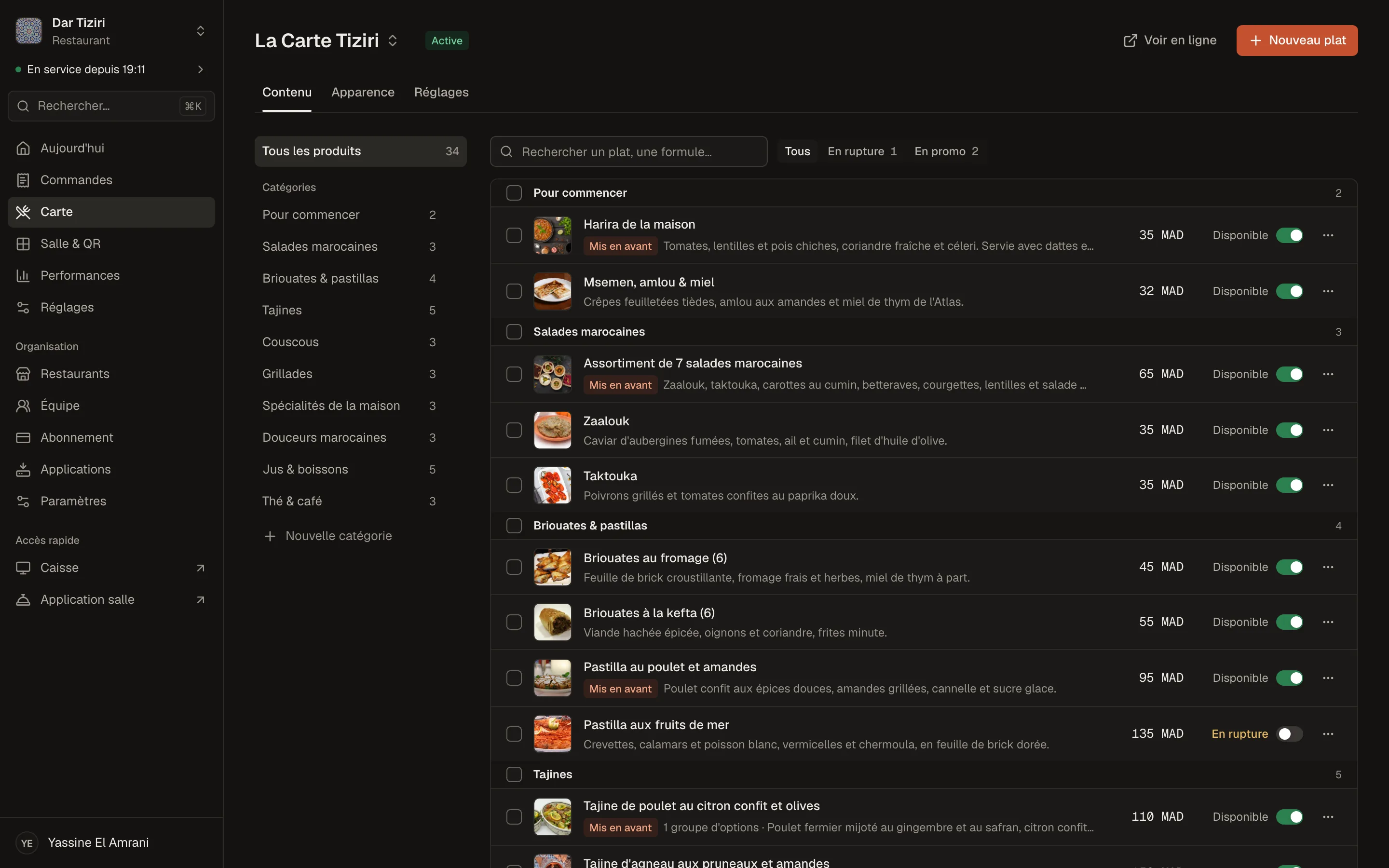
Where you build and run your restaurant: the menu, the floor, orders, the team, settings and performance.

  • Menu, menus, dishes, set menus, options
  • Floor, tables and QR codes
  • Orders, services and history
  • Team, roles, subscription and performance
Learn more
The Menly menu editor: categories, dishes with photos, prices and availability for a demo restaurant.

02

The customer menu

For your customers

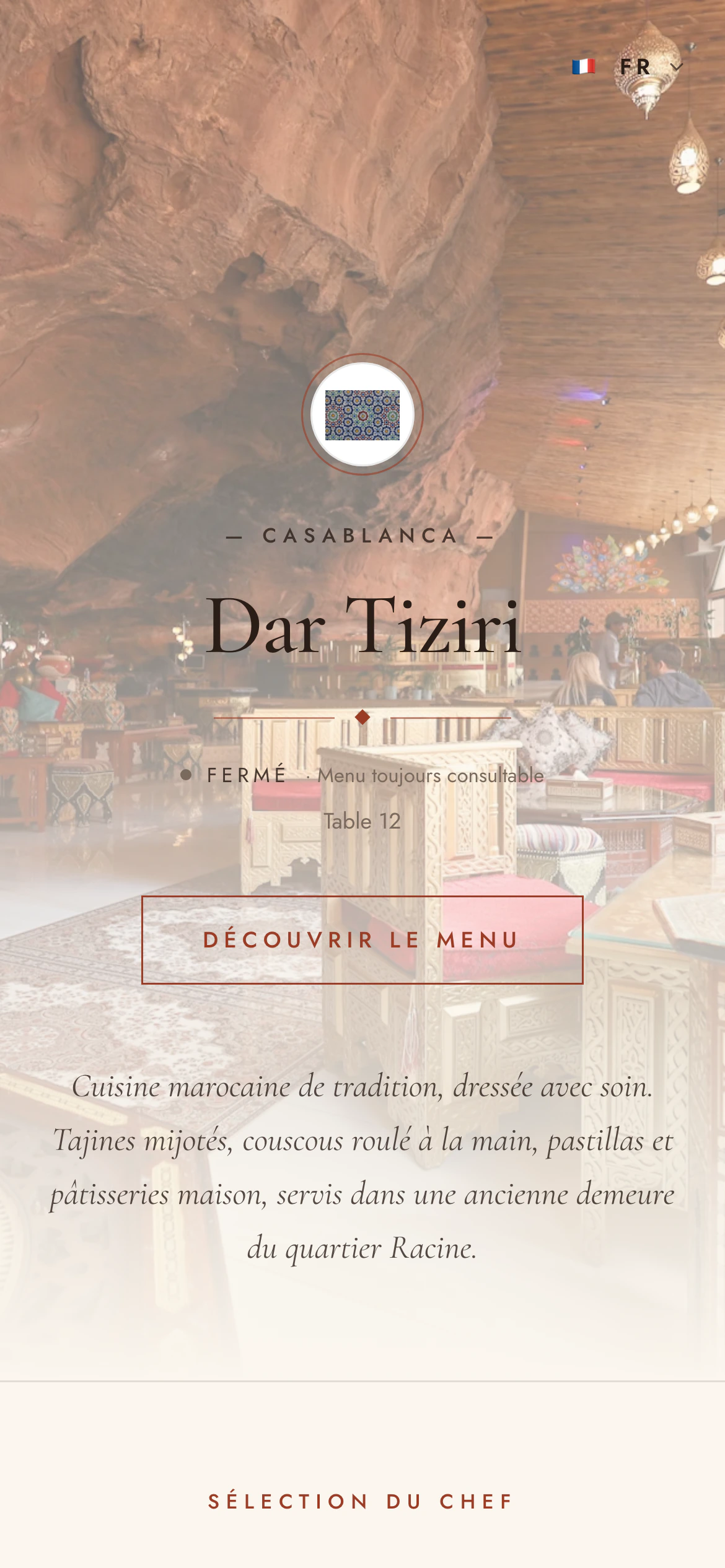
Your menu on their phone, opened with a QR code, in their language, with no app. Depending on your settings, they browse, order and call a server.

  • Browsing, search, dish pages
  • Dine-in or takeaway ordering
  • Order tracking
  • Server calls and bill requests
Learn more
The menu opened from a table's QR code: the customer orders for their table.

03

Menly Register

For the till and the counter

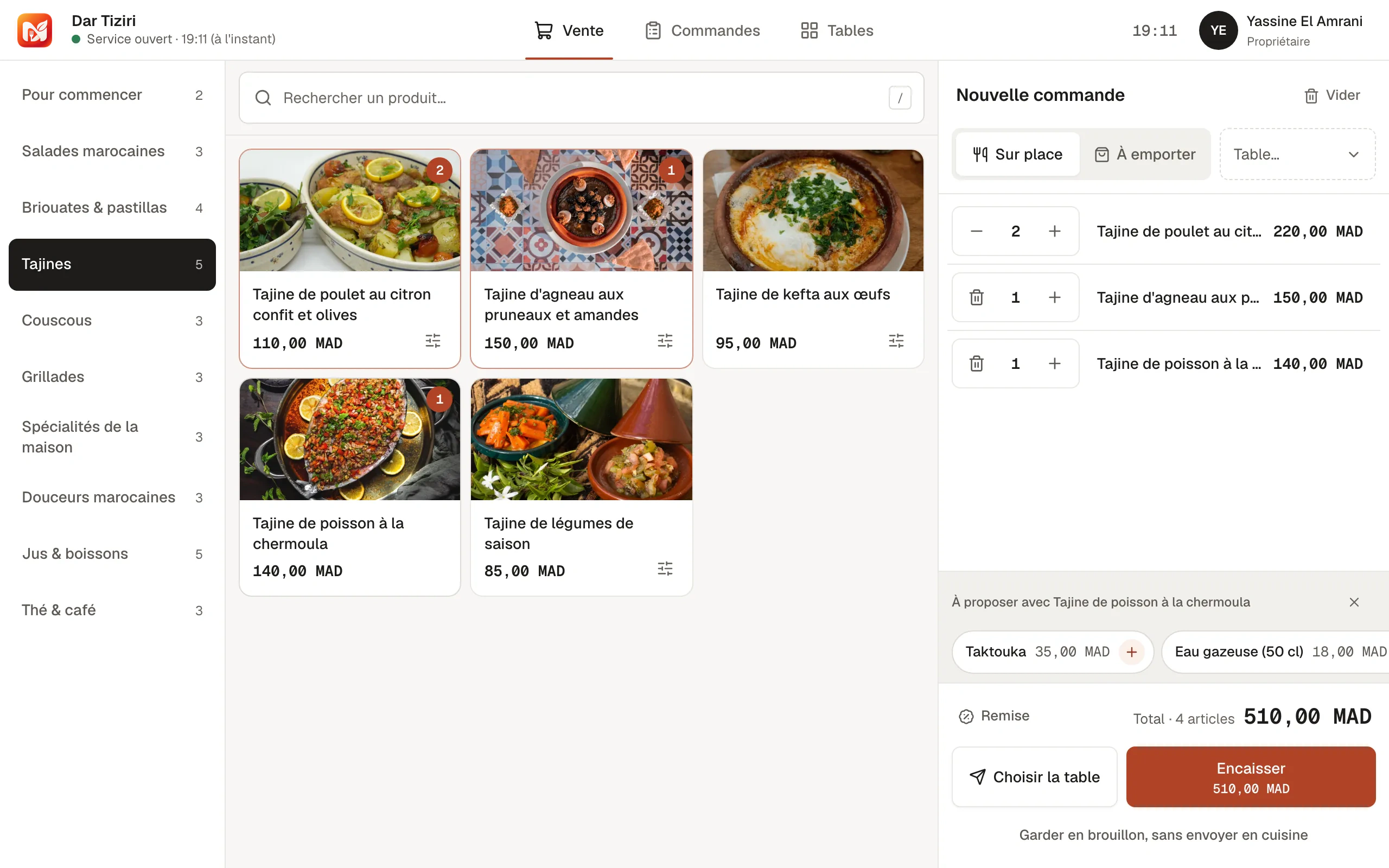
The touch till: counter sales, payment for tables, tracking of the service's orders, till sessions and printing.

  • Catalog, ticket, discounts
  • Cash, card, mobile, other
  • Opening and closing the till
  • Web, tablet, Windows and macOS
Learn more
The Menly till: the catalog by category and the current ticket.

04

Menly Floor

For servers

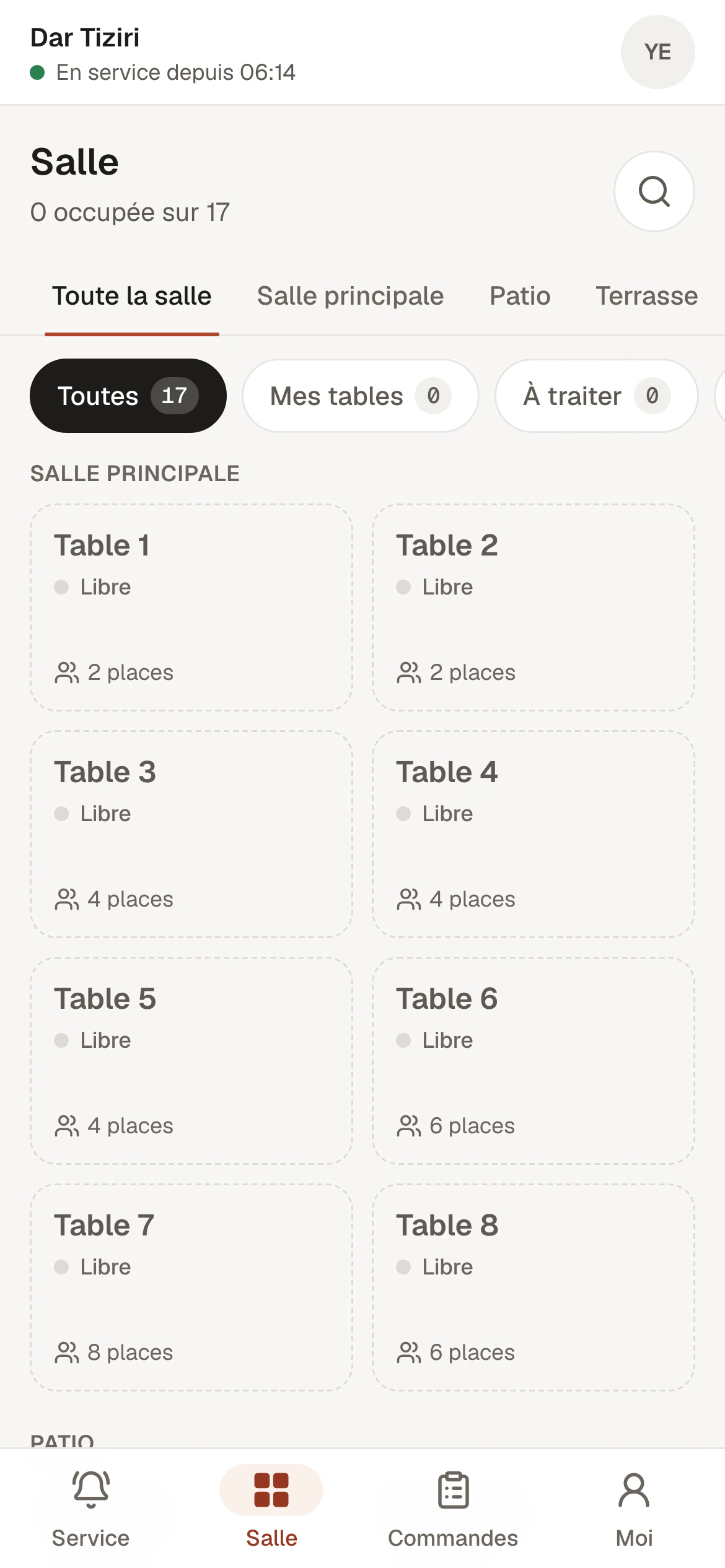
The servers' app on their phone: tables, customer requests, order taking and tracking until the food is served.

  • Tables and covers
  • Order taking and sending to the kitchen
  • Live customer requests
  • Changing tables, bill
Learn more
The Menly Floor app on a server's phone: the service's tables.

Under the hood

Built for the service, not just for show.

  • Connected live

    The till and the floor app receive new orders and customer requests as soon as they come in.

  • Organized by service

    You start and close each service: orders, the till and the figures are attached to it.

  • Controlled access

    Each member has their own account, position and permissions. Access can be deactivated without erasing the history.

  • Three interface languages

    Menly can be used in French, English and Arabic, and your menu in your customers' languages.

  • Prices in dirhams

    Clear monthly or yearly plans, with no required hardware.

  • Everything is tracked

    Every order keeps the history of its steps: sending, correction, cancellation, payment.

Security

Your data and your access, simply protected.

Clear rules, enforced by the Menly server on every action.

Sign-in

  • Email address verified with a code at sign-up
  • Passwords encrypted, never stored in plain text
  • Password reset by email
  • Limited sign-in attempts

Access

  • Permissions checked on every action, not just on screen
  • Access limited by restaurant and by space
  • Members can be deactivated at any time
  • Table recognized by Menly from its QR code

See Menly with your own menu.

Create your account, follow the guided setup and prepare your first menu.