Team & permissions
One team, clear positions, clear access.
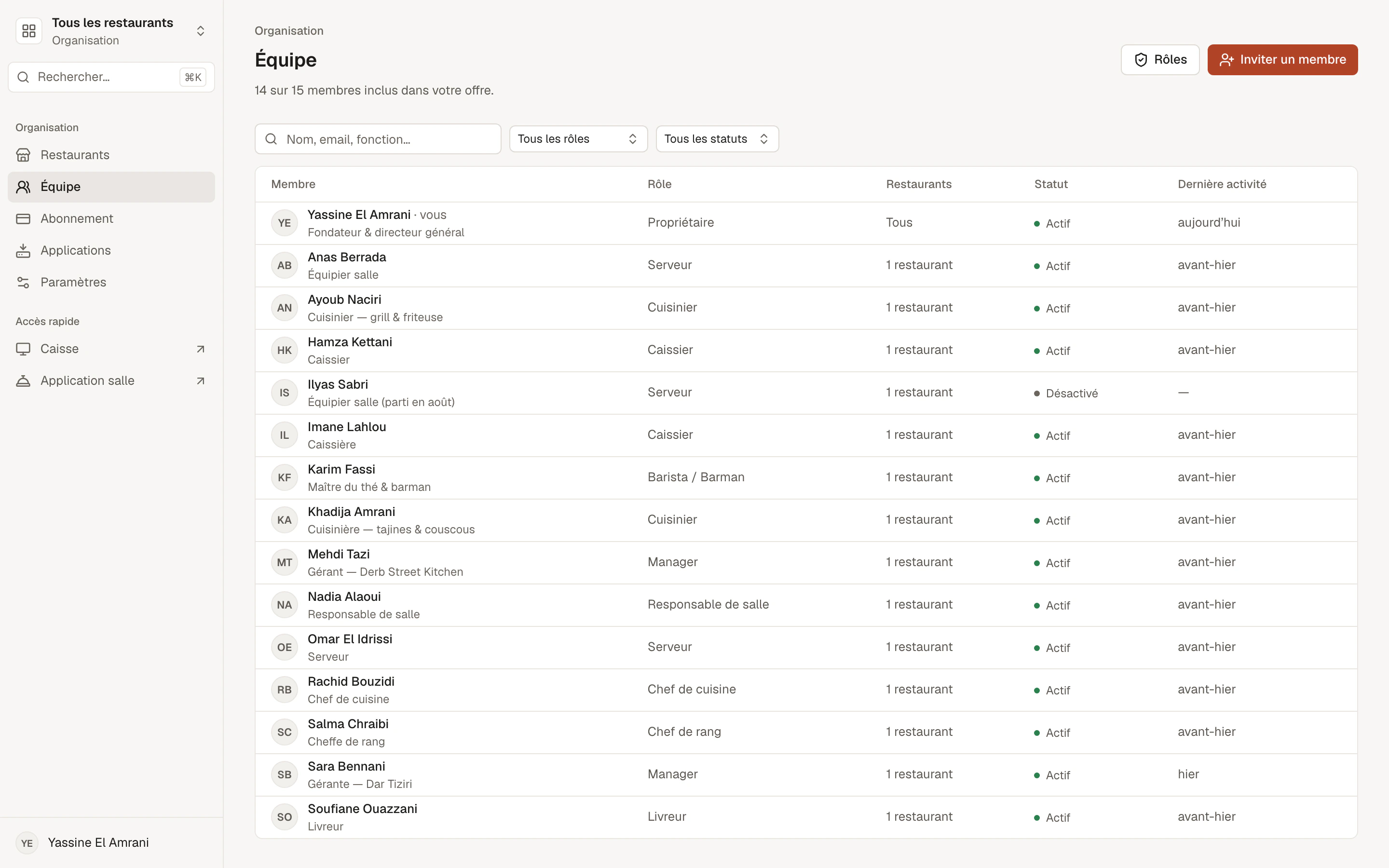
Invite each staff member with their own account. Their position determines what they see and what they can do; you adjust member by member, restaurant by restaurant.
- Email invitation
- Ready-made positions
- Custom roles
Positions
Ready-made positions.
Each position comes with its permissions and its discount cap. Choose it when you invite, change it at any time.
Manager
Day-to-day operations: orders, floor, till, menu, service.
Floor manager
Runs the floor: every table, assigning, cancelling, closing.
Waiter
Takes orders, sends them to the kitchen, serves their tables.
Host
Greets and seats guests; limited view of orders.
Cashier
Runs the till: takes payments, prints receipts, counter sales.
Head chef
Runs the kitchen: accepts, prepares, cancels an order not yet started.
Cook
Starts preparation and marks orders ready.
Barista / Bartender
Makes drinks, serves them at the counter, can take an order.
Viewer
Read-only, no changes at all.
Member by member
Adjust each person's access.
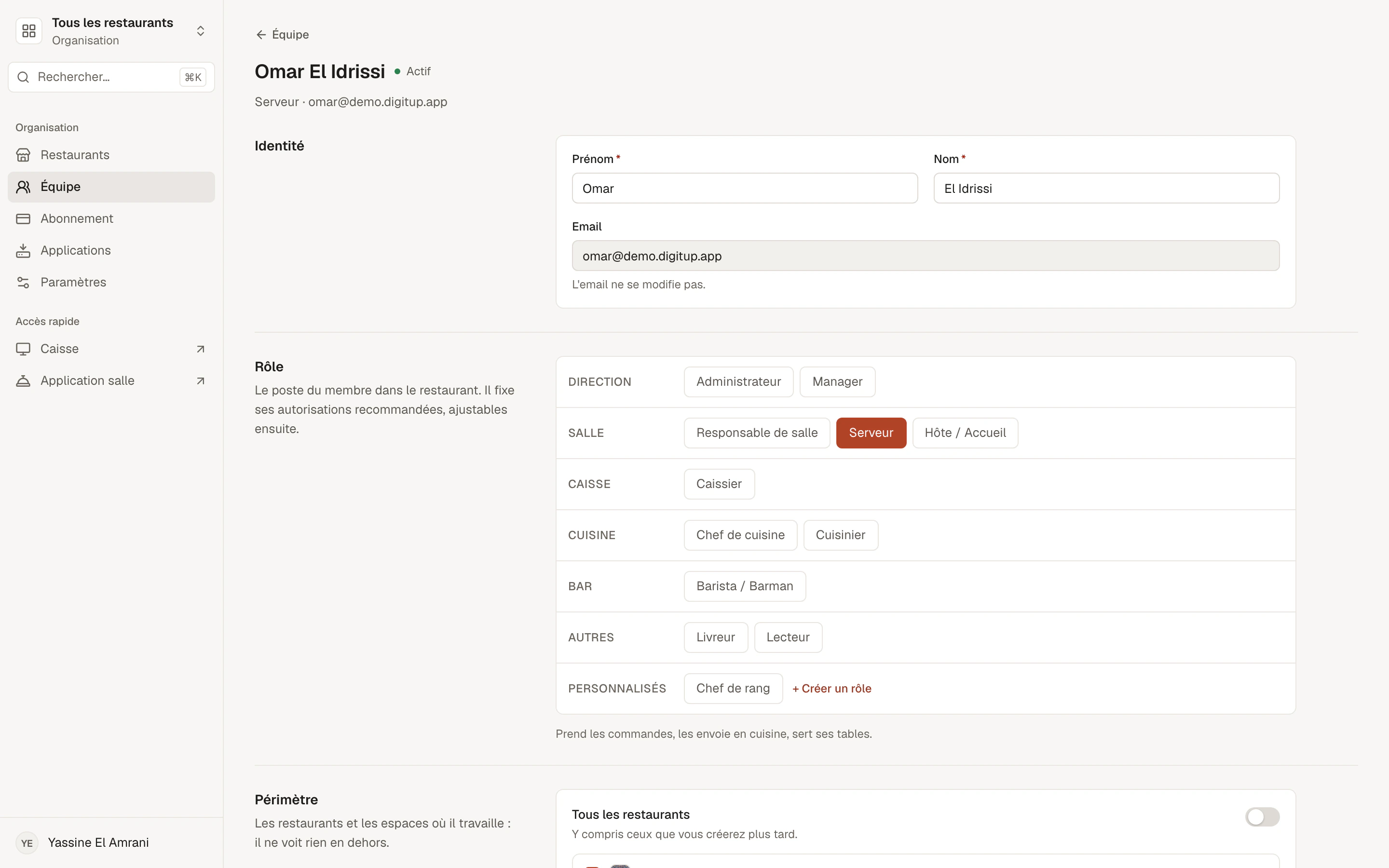
On a member's profile, you choose their restaurants and, if needed, their spaces. You add or remove a permission, set their discount cap, and specify which status changes they can make on an order.
- Access limited to certain restaurants
- Access limited to certain floor spaces
- Permissions added or removed individually
- Personal discount cap
Permissions
Precise permissions, checked on every action.
View or take orders, take payments, refund, give discounts, edit prices, manage the menu, tables, team or subscription: each action has its permission, and Menly checks it on the server.
Ready-made positions
- Manager
- Floor manager
- Waiter
- Cashier
- Head chef
- Barista / Bartender
Access limited to: Dar Tiziri · Terrace
Permissions
- View orders
- Take payments
- Apply a discount
- Edit prices
- View performance
- Invite a member
Custom roles
Your own positions, built from ours.
“Head waiter”, “Head cashier”, “Terrace manager”: create your roles from an existing position, adjust their permissions, and assign them to your members.
- Based on an existing position
- Adjustable permissions and discount cap
- Assignable to several members
Custom roles are included from the Pro plan.
Day to day
A member's lifecycle.
Joining
- Email invitation, link valid for 7 days
- Invitation can be resent
- Position and restaurants chosen at invitation
Leaving
- Access deactivated in one click
- Order history kept
- Seat freed for a new member
Team questions
How many members can I invite?
It depends on your plan; the owner counts as a member. The details are on the Pricing page.
Can a member work in two restaurants?
Yes. You choose which restaurants each member can access.
What happens when I deactivate a member?
They can no longer sign in. Their orders and activity remain in the history and in performance.
Can I stop a server from giving discounts?
Yes. Each position has a discount cap, which you can also set member by member, down to zero.